AI CHAT + CLIENT FOLLOW-UP AUTOMATION FOR WORDPRESS

Turn your WordPress site into an AI front desk that follows up with clients.

Answer website questions from your own knowledge base, organize client records, and send scheduled email or WhatsApp reminders using the AI provider your business already trusts.
Bring your own AI provider Email + WhatsApp reminders Built for service firms
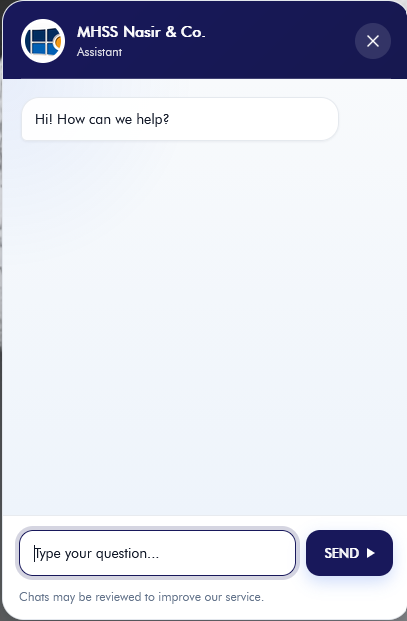
Website visitor using the ClientNudge chat widget
Visitor chat
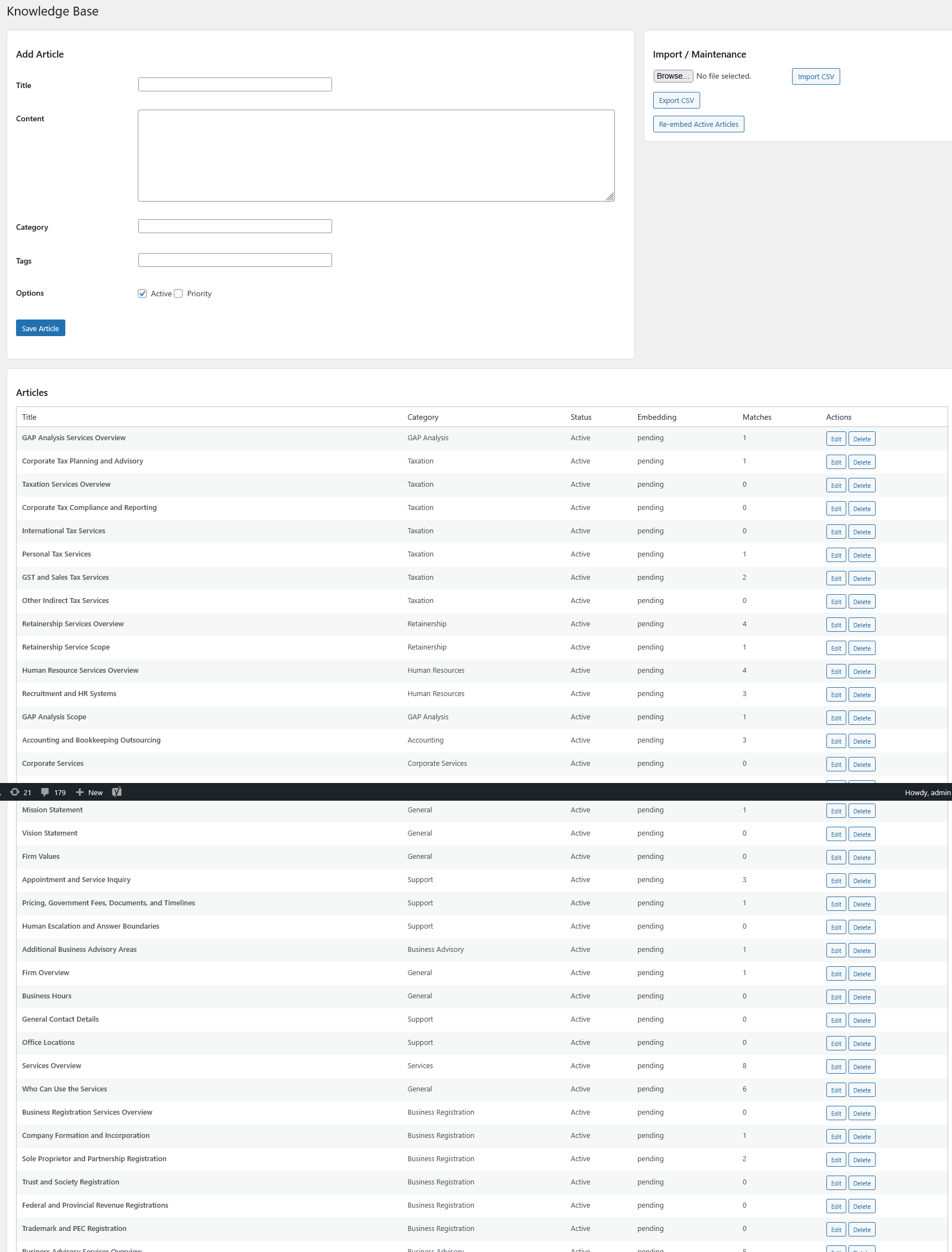
ClientNudge knowledge base used as the answer source
Knowledge source
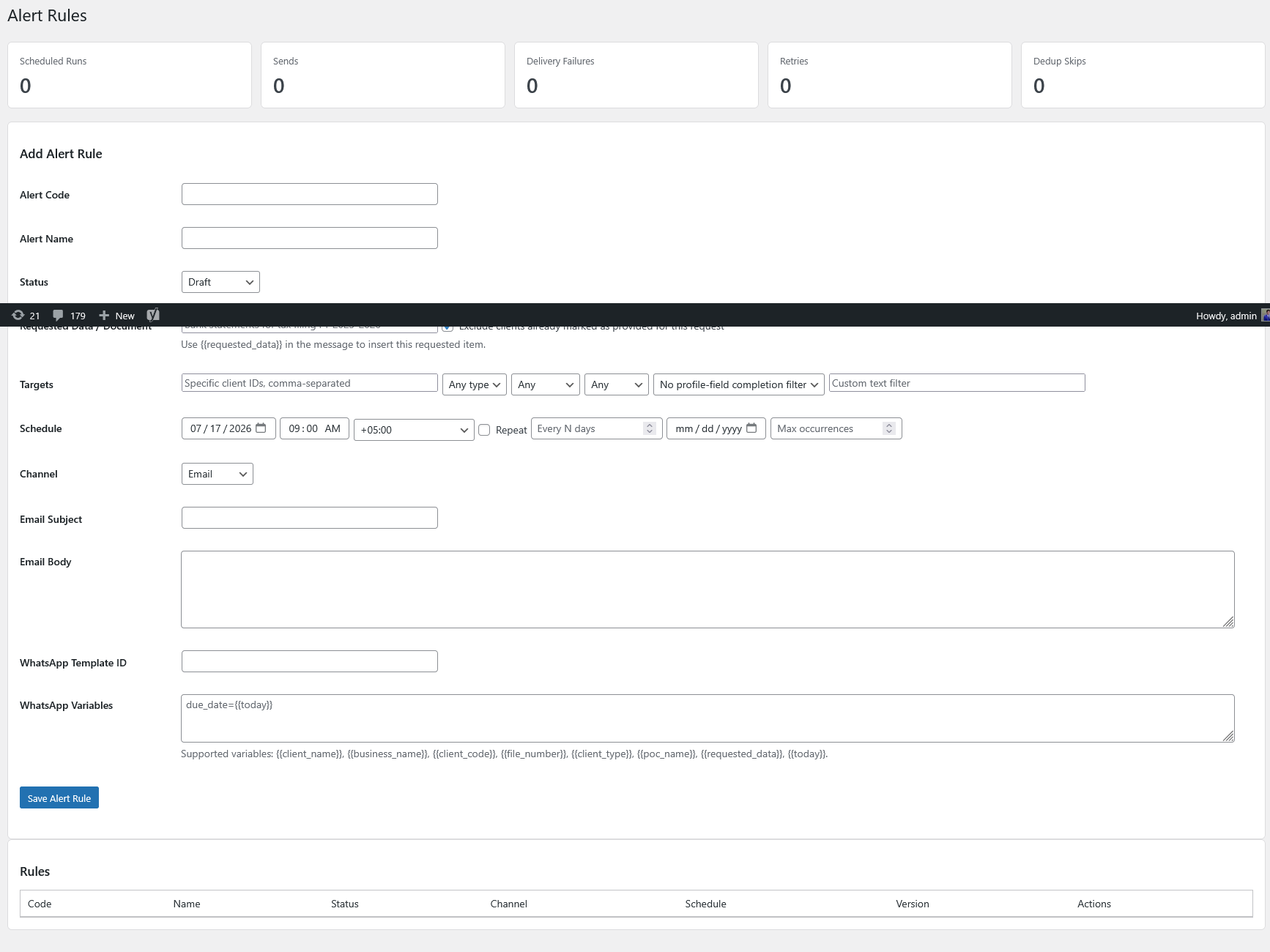
ClientNudge alert-rule builder for scheduled reminders
Scheduled reminder
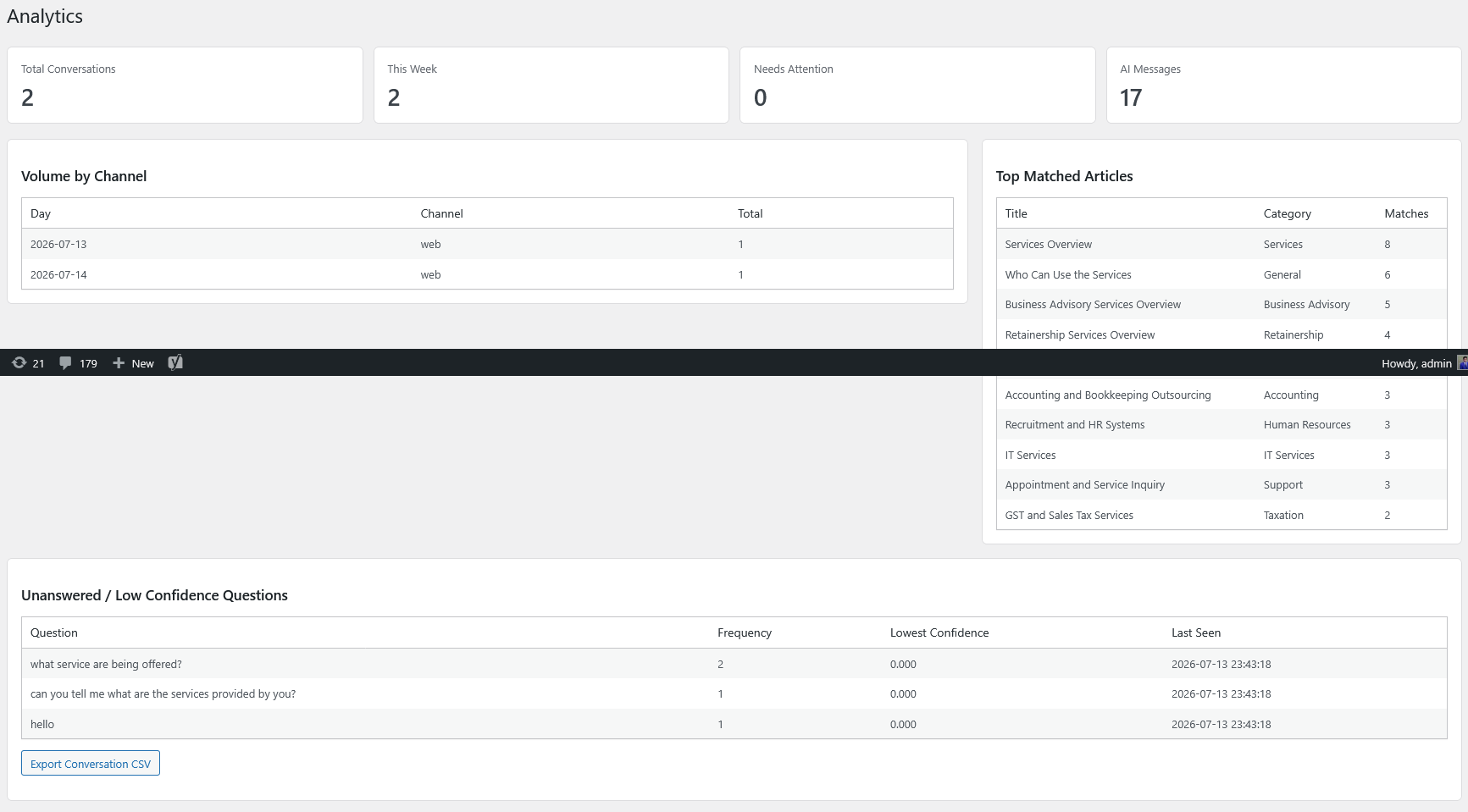
ClientNudge delivery history and analytics screen
Delivery history
5AI connection options
Email + WhatsAppdelivery
One-time + recurringrules
Fulldelivery history

Business problems and outcomes

Answer questions, organize clients and automate follow-ups from one WordPress workflow.

Problem

Website questions repeat all week

Visitors ask about services, documents, timelines and office processes before contacting your team.

Outcome

Answer from an approved knowledge base managed inside WordPress.

Problem

Client records are inconsistent

Individual and business clients need different fields, categories and follow-up requirements.

Outcome

Keep records structured with required categories and import support.

Problem

Follow-ups slip after busy days

Manual reminders for missing documents and recurring work are hard to track.

Outcome

Schedule recurring email or WhatsApp Business reminders and review delivery history.

Live demo

Everything your team needs in one connected workflow.

Try a guided WordPress chat example, suggested questions, a read-only admin tour and an alert delivery preview.

WordPress chat example Ready

AI assistant: Ask about documents, deadlines or booking a consultation.

Product workflow

Six steps from install to tracked delivery.

  1. 1Install and activate

    Upload the plugin and activate your license.

  2. 2Connect AI

    Use the provider your business already trusts.
  3. 3Add knowledge

    Publish approved answers for common questions.

  4. 4Add clients

    Create records manually or import CSV/Excel data.

  5. 5Schedule reminders

    Choose email, WhatsApp, first date and recurrence.

  6. 6Review history

    See sent, failed, retried and skipped messages.

Taxation and accounting workflow

Built for firms that collect documents, manage deadlines and follow up with clients.

ClientNudge helps teams answer website questions, categorize clients, import records and schedule reminders for document submission and filing deadlines.

View pricing
Client record typesIndividual and business profiles with required categories
Bulk CSV/Excel importValidate records before committing them
Document remindersEmail and WhatsApp delivery for missing items
Delivery historySent, skipped, failed and retried messages
Website chat widget in ClientNudge.
Website chat widget Answer visitor questions from your approved knowledge base.

AI assistant

Answer website questions from your own knowledge base.

  • Admin-managed answers for services, documents, timelines and policies
  • Bring-your-own AI provider setup
  • Website chat widget for visitor questions
  • External AI usage charges kept separate from the plugin license

Client management

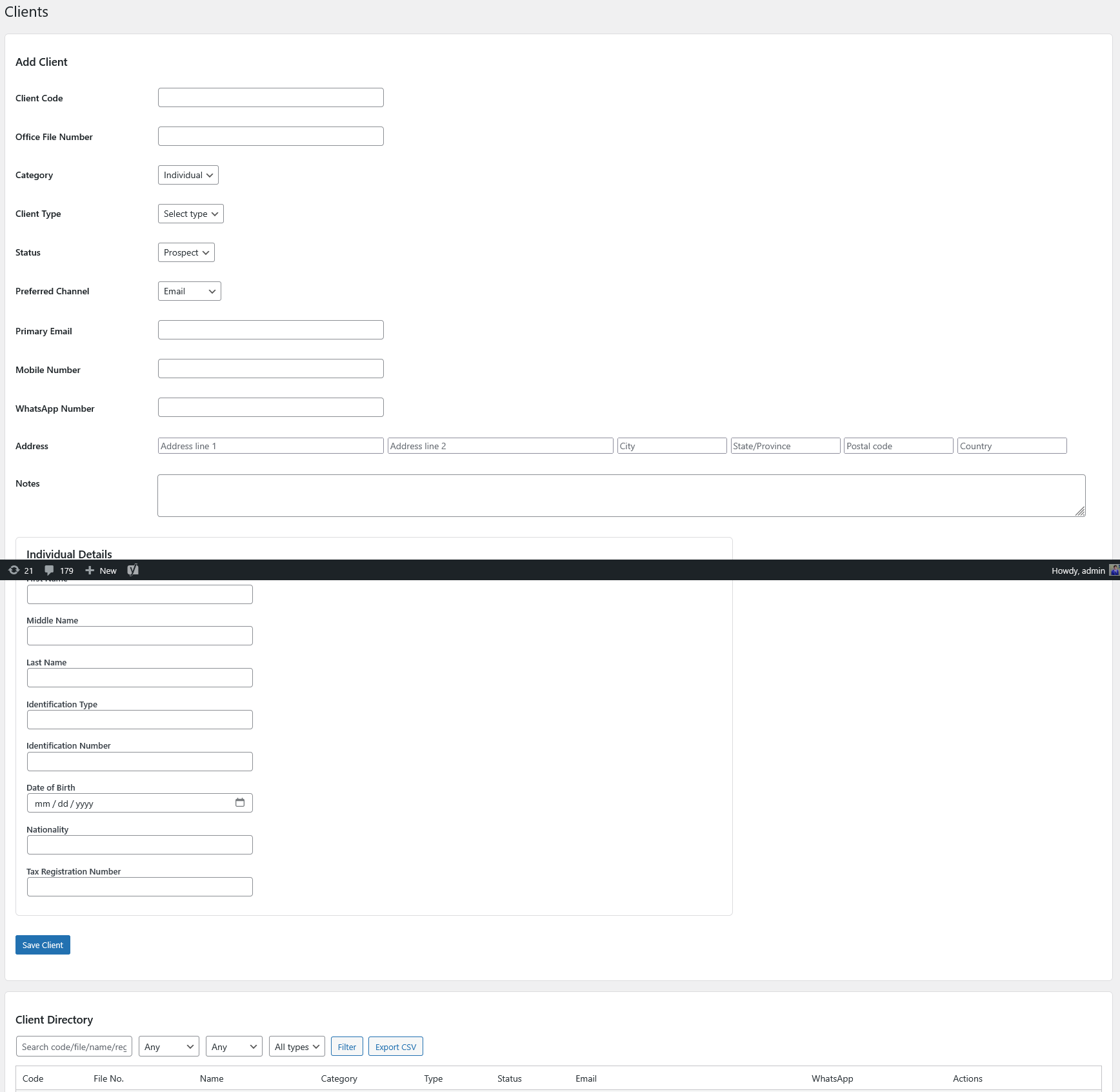
Keep individual and business client records organized.

  • Required client categorisation
  • Individual and business record types
  • CSV/Excel import workflow
  • Duplicate warnings before repeated records are created
Client management screen in ClientNudge.
Client management Organize individual and business records with required categories.
Alert-rule builder screen in ClientNudge.
Alert-rule builder Create scheduled email or WhatsApp reminders with recurrence and duplicate prevention.

Reminder automation

Create reminder rules once, then track every send.

  • One-time and recurring schedules
  • Email and WhatsApp Business channels
  • Duplicate prevention for the same occurrence
  • Delivery history for success, failure, retry and skipped records

Supported AI providers

Bring the AI service your business already uses.

AI, WhatsApp, email, hosting and provider usage charges are separate from the plugin license fee.

OpenAI Anthropic Claude Google Gemini Azure OpenAI OpenAI-compatible APIs

Illustrative workflow

From missing documents to an automatic reminder

This example demonstrates the workflow. It is not a real customer record.

  1. 1Import or add the client.
  2. 2Identify a pending document requirement.
  3. 3Select email, WhatsApp or both.
  4. 4Choose the first delivery date and recurrence.
  5. 5Prevent duplicate delivery for the same occurrence.
  6. 6Review sent, failed and skipped messages.
Illustrative example

ABC Trading

Requirement
VAT documents
First reminder
15 September
Repeat
Every 3 days
Channels
Email + WhatsApp
Status
Delivered

Pricing comparison

Simple pricing based on the number of websites.

Start with one website and upgrade as your client or agency portfolio grows.

Single-Site Annual

For one production WordPress installation.

$59
Annual
  • Websites: 1
  • Renewal terms: License access is valid for 12 months; renew after expiry to keep downloads, updates and support active.
  • Included: 1 site activation; Plugin downloads and updates for 12 months; Client management module; Scheduled email and WhatsApp alerts; Email support
  • Support level: Email support
  • External API costs: Not included
Choose license

Agency Annual

For agencies delivering ClientNudge across client sites.

$349
Annual
  • Websites: 25
  • Renewal terms: License access is valid for 12 months; renew after expiry to keep downloads, updates and support active.
  • Included: 25 site activations; Plugin downloads and updates for 12 months; Activation management; Client alert automation at scale; Priority email support
  • Support level: Priority email support
  • External API costs: Not included
Choose license
Plan Websites Billing Support Major included features Managed OpenAI add-on External costs
Single-Site Annual 1 Annual Email support 1 site activation; Plugin downloads and updates for 12 months; Client management module; Scheduled email and WhatsApp alerts; Email support Not offered AI, WhatsApp, email and hosting not included
Multi-Site Annual 5 Annual Priority email support 5 site activations; All Single-Site features; Priority email support; Bulk client import workflows Not offered AI, WhatsApp, email and hosting not included
Agency Annual 25 Annual Priority email support 25 site activations; Plugin downloads and updates for 12 months; Activation management; Client alert automation at scale; Priority email support Not offered AI, WhatsApp, email and hosting not included

Security, privacy and compatibility

Technical requirements and data handling

Review compatibility, external service requirements and how your data is processed before installation.

External AI processingWebsite questions are sent to the AI provider configured by the site owner. Provider usage charges are separate.
WhatsApp requirementsWhatsApp reminders require Meta WhatsApp Business Cloud API credentials: access token, phone number ID, webhook verify token and app secret.
License renewalLicense renewal follows the term shown on each pricing card.
License activation dataThe public license API receives the license key, site URL, site identifier, plugin slug and plugin version for activation checks.

FAQ

Frequently asked questions

What to know about setup, AI providers, WhatsApp, licensing and data handling before purchasing.

Do I need my own AI-provider API key?

Yes. ClientNudge uses a bring-your-own-provider model, so the WordPress site owner connects OpenAI, Anthropic Claude, Google Gemini, Azure OpenAI or an OpenAI-compatible endpoint.

Are AI usage charges included?

No. The plugin license does not include AI provider, Meta WhatsApp Business, email, hosting or other external service charges.

What is required for WhatsApp Business?

WhatsApp reminders require Meta WhatsApp Business Cloud API credentials, including a phone number ID, permanent access token, app secret and webhook verify token.

Where are client and knowledge-base records stored?

The sales portal stores customer, order, license, activation, FAQ and audit data in the configured SQL Server database. The WordPress plugin manages its client and knowledge-base records inside the WordPress installation.

Can the plugin be used without WhatsApp?

Yes. WhatsApp is optional. You can use the AI assistant, knowledge base, client records and email reminders without enabling WhatsApp.

Can the AI provider be changed later?

Yes. The plugin settings include provider options for OpenAI, Anthropic Claude, Google Gemini, Azure OpenAI and custom OpenAI-compatible endpoints.

How are duplicate reminders prevented?

Alert rules use duplicate-send protection for scheduled occurrences and record skipped sends in delivery history.

What happens when a license expires?

License checks return the expired status, and downloads, updates and support should be renewed according to the configured license term.

ClientNudge for WordPress
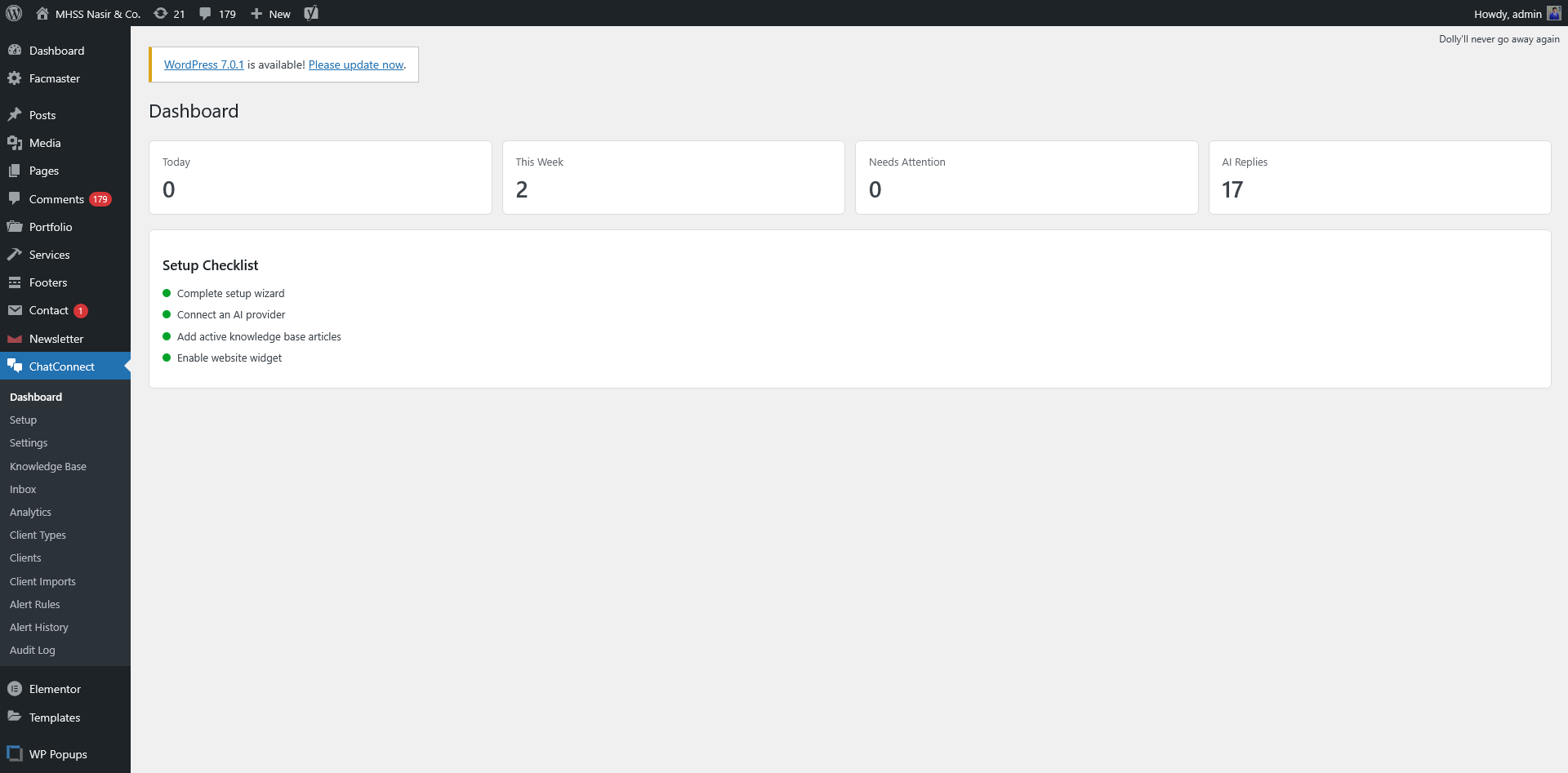
Answer website questions automatically and keep client follow-ups on schedule.

Try the live demo